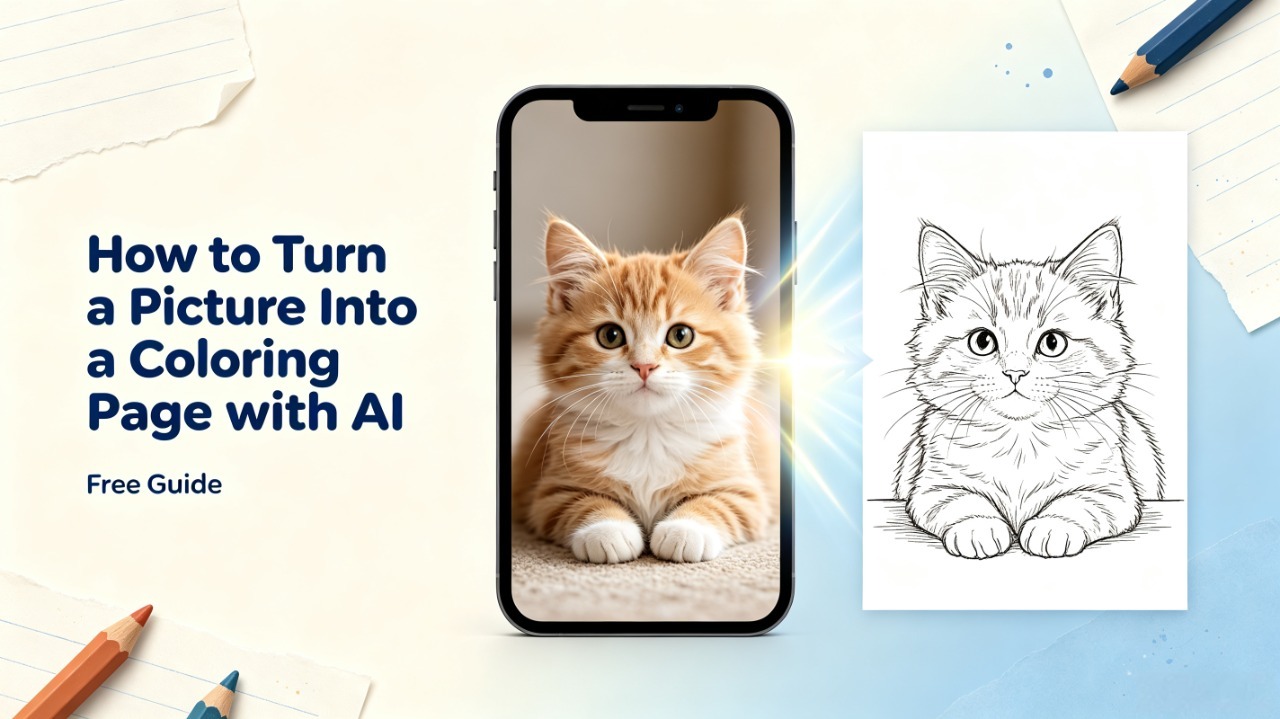
Have you ever looked at a favorite photo and thought: “This would make a great coloring page”?
A picture of your child, your pet, a family memory, or even a favorite object can become more than just a photo stored on your phone. With AI, you can transform ordinary images into printable coloring pages that you can color, share, or turn into a personalized coloring book.
In the past, creating a coloring page from a photo required Photoshop skills, illustration experience, or hours of manual tracing. Today, AI coloring page generators can analyze an image, simplify unnecessary details, and create clean black-and-white outlines in seconds.
In this guide, you’ll learn:
How to turn a picture into a coloring page
The best methods available today
What types of photos create the best results
How to avoid common mistakes
How to create printable coloring pages from your own memories
What Does It Mean to Turn a Picture Into a Coloring Page?
Turning a picture into a coloring page means converting a normal image into a black-and-white illustration designed for coloring.
A simple color removal filter is usually not enough.
A good coloring page needs to:
Keep the important features of the original image
Remove unnecessary details
Create clear outlines
Leave enough space for coloring
For example, a good pet coloring page should still look like your dog or cat, but the fur texture, shadows, and background details need to be simplified.
This is why AI works differently from traditional image filters. Instead of only detecting pixels and edges, AI can understand the objects and structure inside an image.
Method 1: Use an AI Coloring Page Generator (Recommended)
For most people, the fastest way to turn a picture into a coloring page is using an AI coloring page generator.
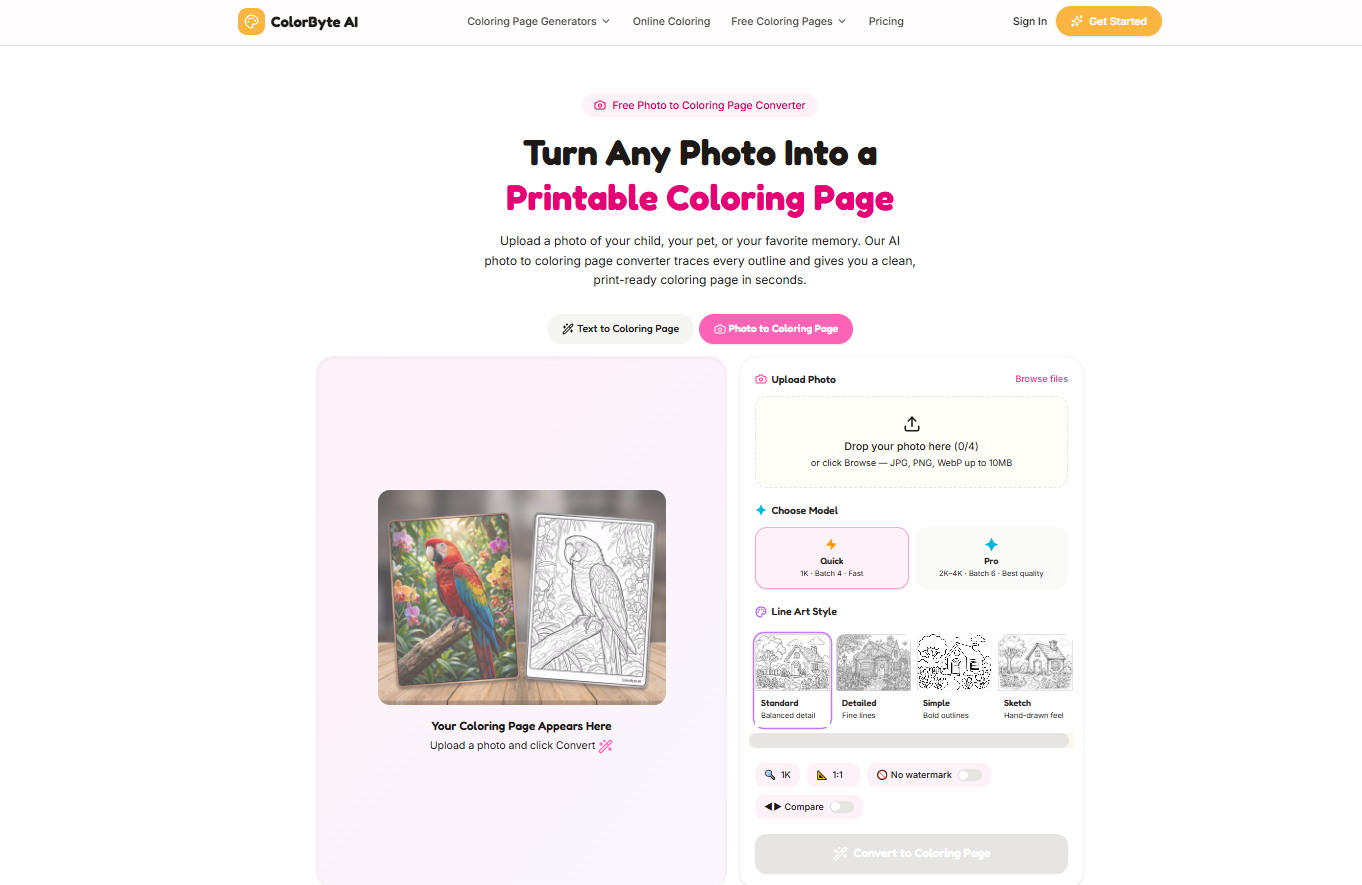
During the development of ColorByte AI, we tested thousands of images across different categories, including:
Pet photos
Family portraits
Children's drawings
Flowers
Toys
Landscapes
One pattern appeared repeatedly:
The quality of the original photo often matters more than the AI model itself.
A simple, clear image usually creates a better coloring page than a complicated photo with many details.
Step 1: Upload Your Picture
Start by choosing the photo you want to transform.
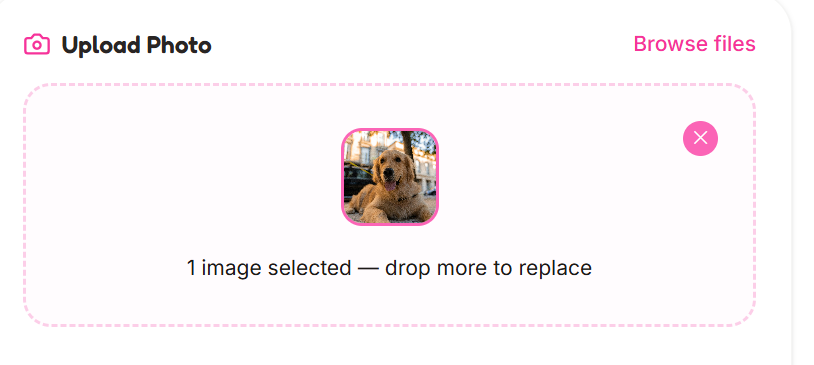
The best images usually include:
One clear subject
Good lighting
Simple background
High resolution
Great examples:
A dog sitting in front of a wall
A child smiling at the camera
A flower close-up
A favorite toy
More difficult examples:
Crowded group photos
Busy street scenes
Low-quality screenshots
The clearer the subject, the easier it is for AI to create clean outlines.
Step 2: AI Converts Your Image Into Line Art
After uploading your image, AI analyzes the important visual information.
It identifies:
Main subjects
Shapes
Important details
Object boundaries
Then it simplifies the image into coloring-friendly artwork.
For example:
A pet photo may keep:
Face shape
Eyes
Ears
Body outline
while removing:
Complex fur texture
Background distractions
Realistic shadows
The goal is not to create an identical copy of the photo.
The goal is to create a coloring page that feels natural to color.
Step 3: Choose the Right Coloring Style
Different users need different levels of detail.
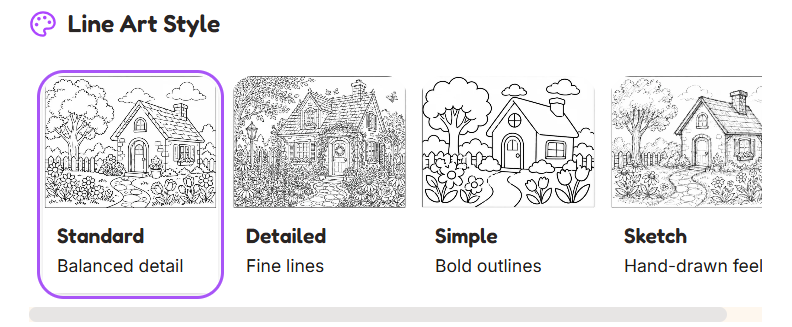
Simple Style
Best for:
Young children
Beginners
Classroom activities
Features:
Bold outlines
Large coloring areas
Simple shapes
Standard Style
Best for:
Families
Everyday coloring
Most users
Features:
Balanced details
Clear outlines
Natural appearance
Detailed Style
Best for:
Adults
Advanced coloring projects
Features:
More patterns
More complex lines
Longer coloring experience
Step 4: Download and Print
Once your coloring page is generated, you can download and print it.
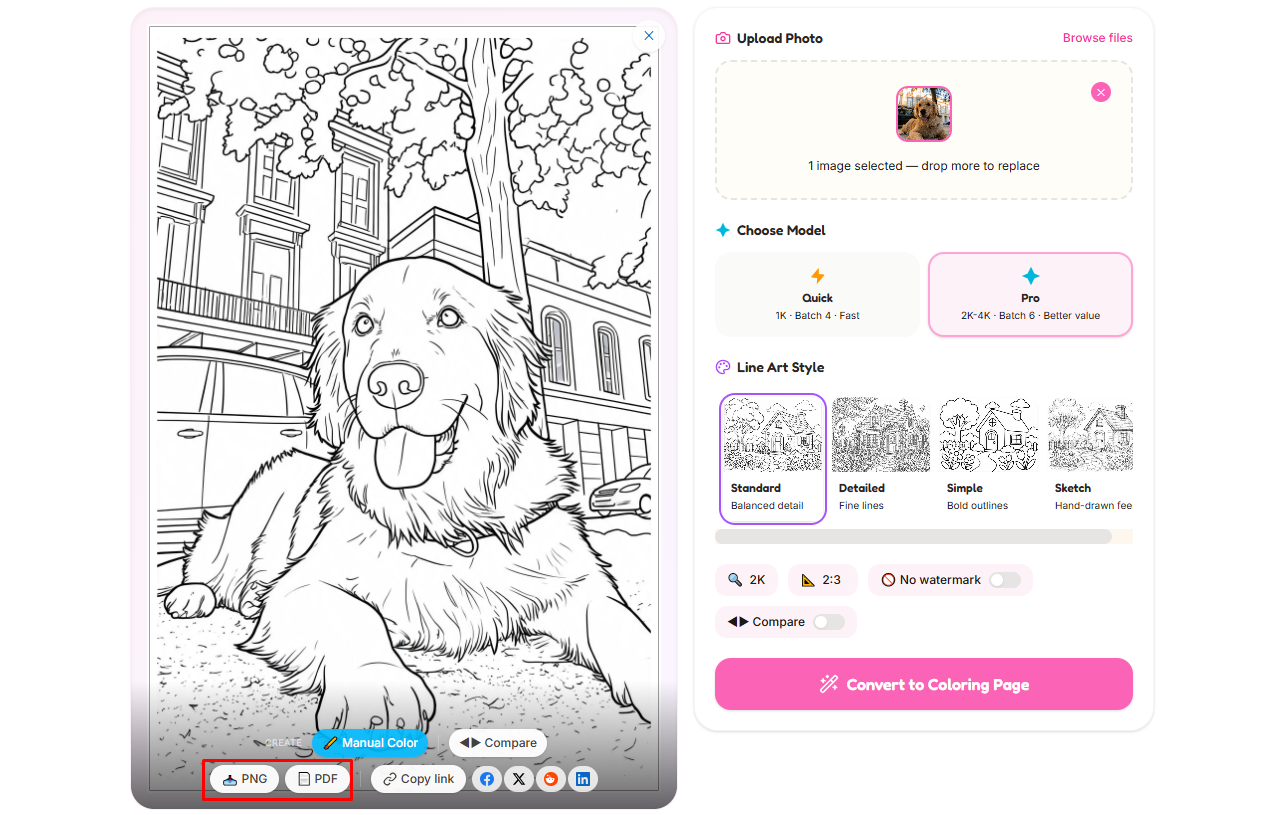
For best results:
Use high-resolution output
Print on Letter or A4 paper
Use thicker paper for markers
A single image can become:
A children's activity
A personalized gift
A classroom worksheet
The first page of a custom coloring book
Method 2: Convert a Picture Using Photoshop
Before AI tools became popular, many designers used Photoshop to create coloring pages.
A typical process includes:
Convert the image to grayscale
Adjust contrast
Detect edges
Remove unwanted details
Clean the outlines
Photoshop provides more manual control, but it requires design skills and takes much longer.
The biggest limitation is that traditional filters do not understand the image.
They may turn:
Shadows
Textures
Background patterns
into unnecessary lines.
For creating one professional illustration, Photoshop can work well.
For creating dozens of coloring pages, AI is much more efficient.
Method 3: Trace a Picture Manually
Manual tracing gives artists maximum creative control.
An illustrator can decide:
Which details to keep
Which elements to remove
How the final style should look
However, it is also the slowest method.
Creating one page may take hours, which makes it difficult for:
Parents creating activity books
Teachers preparing materials
Creators building printable products
Which Photos Create the Best Coloring Pages?
Based on testing many images during ColorByte AI development, we found that photo selection has a huge impact on results.
Here are the characteristics of photos that usually work best.
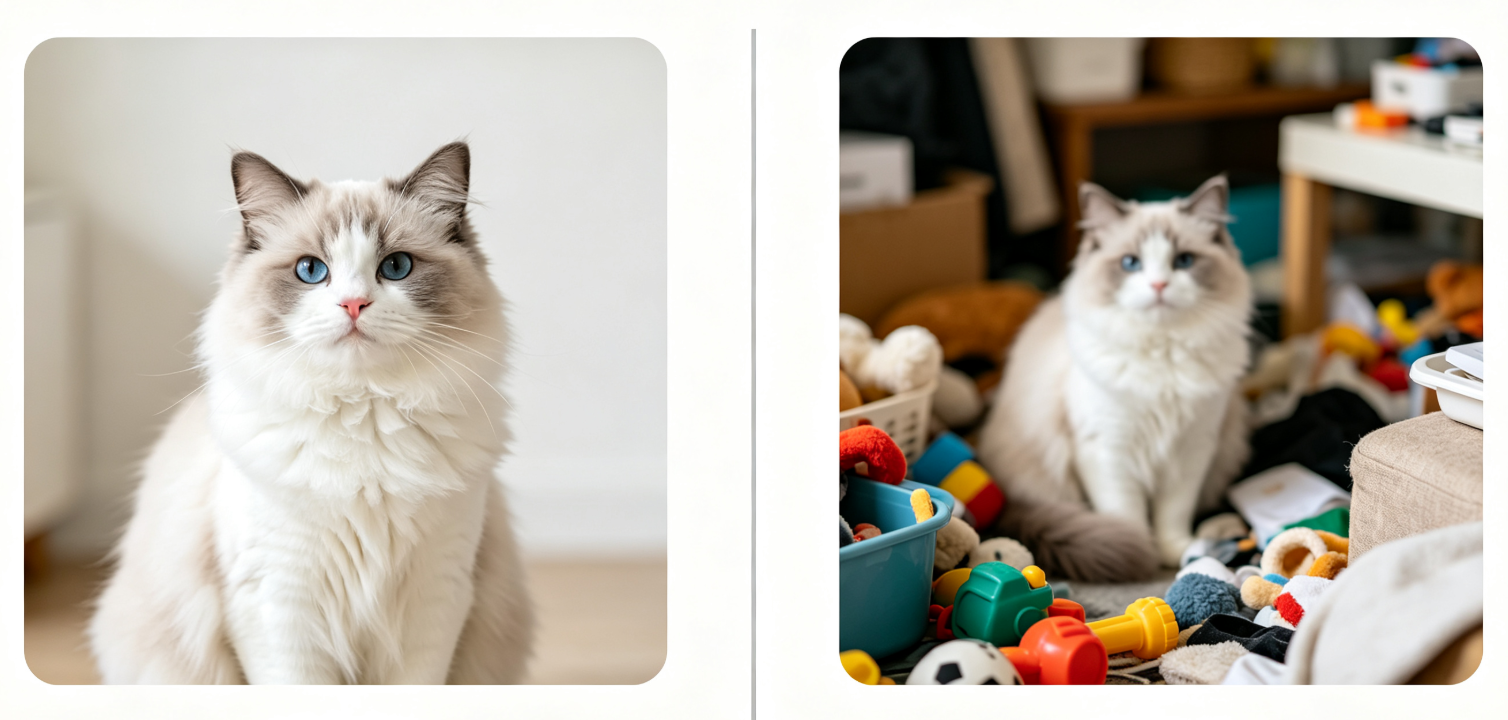
1. One Clear Main Subject
The AI needs to understand what the coloring page is about.
Better:
A close-up pet portrait
A child holding a toy
A flower photo
Harder:
Large group photos
Busy scenes with many objects
2. Simple Backgrounds
Background complexity is one of the biggest causes of messy coloring pages.
A simple background allows AI to focus on the main subject.
For example:
A child standing against a plain wall usually works better than the same child in a crowded playground.
3. High-Quality Images
Use:
Original phone photos
High-resolution images
Clear pictures
Avoid:
Blurry images
Compressed screenshots
Dark photos
4. Good Lighting
Clear lighting creates better separation between objects.
Good:
Outdoor daylight
Bright indoor photos
Avoid:
Strong shadows
Very dark images
Before You Upload Your Photo: 5 Simple Tips
1. Crop the Image
Remove unnecessary background elements.
A closer photo usually produces cleaner results.
2. Make Sure the Subject Is Large Enough
The main object should take up a significant part of the image.
A tiny subject surrounded by a large background is harder to convert.
3. Think About Who Will Color It
For children:
Choose simple images.
For adults:
More details can create a better experience.
4. Avoid Extremely Busy Photos
Beautiful photos are not always the best coloring page photos.
The best coloring images are usually visually simple.
5. Start With Meaningful Pictures
The most valuable coloring pages are often personal.
A favorite pet, family moment, or childhood memory can become something people want to keep.
AI vs Photoshop vs Manual Tracing
Method | Time | Skill Required | Best For |
AI Generator | Seconds | None | Parents, teachers, creators |
Photoshop | 20-40 minutes | Medium | Designers |
Manual Tracing | Hours | High | Artists |
For most users, AI provides the best balance between speed and quality.
Creative Ways to Use Picture Coloring Pages
Personalized Gifts
Create unique coloring pages from:
Family photos
Pet pictures
Special memories
Children's Activities
Parents can create personalized activities featuring:
Their child
Favorite toys
Family moments
Classroom Materials
Teachers can create:
Custom worksheets
Student activities
Educational coloring pages
Printable Products
Creators can use coloring pages for:
Etsy products
Digital downloads
Activity books
Always check commercial licensing before selling AI-generated content.
Frequently Asked Questions
Can I turn a photo into a coloring page for free?
Yes. Many AI coloring tools offer free credits or limited generations so you can test the process.
Can I use a phone photo to create a coloring page?
Yes. Smartphone photos usually work well if they have clear subjects and good lighting.
Can AI create a coloring book from photos?
Yes. Multiple converted images can be combined into a personalized coloring book.
Can I sell coloring pages made with AI?
It depends on the AI tool's licensing terms and the rights of the images you use.
Why does my coloring page look messy?
Usually because of:
Poor image quality
Busy backgrounds
Too many details
Incorrect style selection
Turn Your Picture Into a Coloring Page Today
Your photos contain memories. AI makes it possible to transform those memories into something creative and interactive.
With ColorByte AI, you can turn your favorite pictures into printable coloring pages in seconds.
Upload your image, choose your style, and create a custom coloring page today.