Free Paint by Number Generator
Turn any photo into a printable paint-by-number template with a numbered outline and a palette taken from your own picture. Free, instant, and processed entirely in your browser.
Template · drag to compare
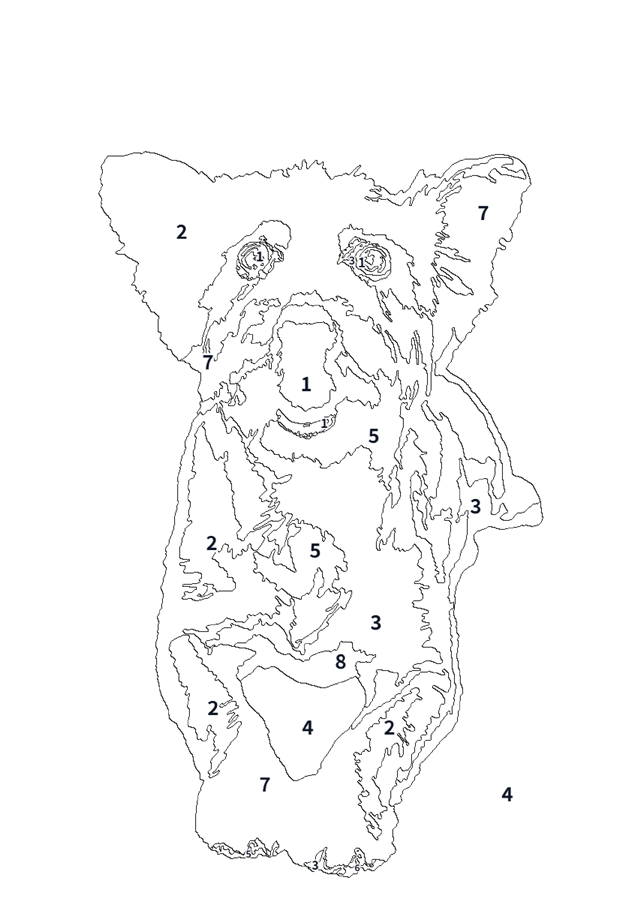
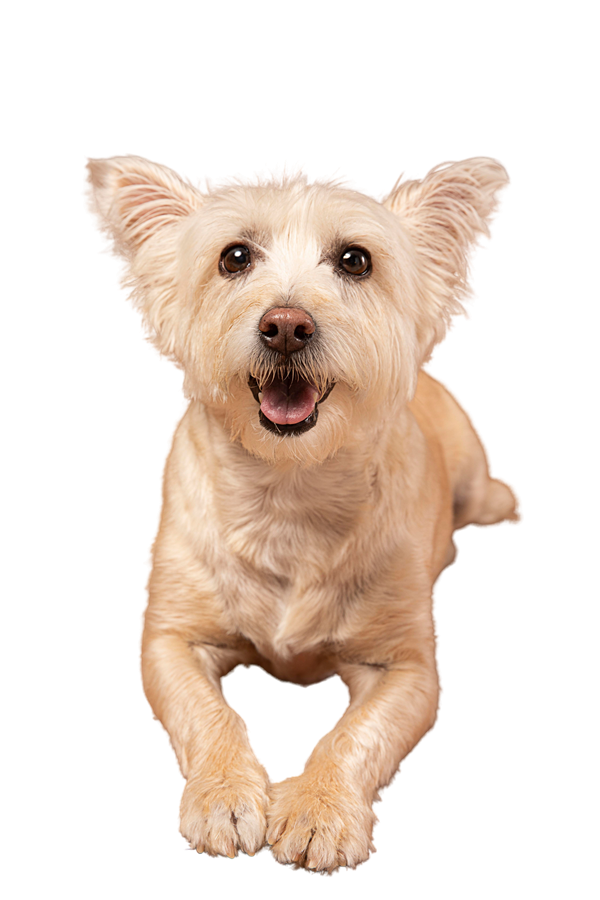
Upload a photo
JPG, PNG, or WebP — drag & drop or click
How much work is it
Recognisably the photo
Colours
Flatten texture
Smallest area to keep: 3500 px
Areas smaller than this are merged into the nearest colour.
Outline weight
Your photo never leaves your device — everything is processed right here in your browser.
Love that photo? Turn it into a coloring page too.
The same photo that makes a great paint-by-number also makes a coloring page your kids can finish with crayons — no paint, no mess. One click, same picture, a whole different craft.
How to Make a Paint by Number Template
Three steps, about a minute. No signup, no upload.
Upload a photo
Drop in a portrait, pet, or landscape with clear shapes. Strong simple forms work best.
Choose colours & detail
Pick a difficulty preset or set your own colour count, flatten strength, and the smallest region worth numbering.
Download & paint
Get your numbered outline and colour palette as a PNG, then match your paints and start.
Which photos work best
Strong, simple forms with clear tonal separation quantise into paintable areas: portraits with directional light, animals against plain backgrounds, buildings, and still lifes. Texture is the enemy — foliage, fur, and crowds become hundreds of tiny regions.
Built for Templates You Can Actually Finish
A palette from your own photo, regions sized for a real brush, and nothing uploaded.
A palette from your own photo
Colours are clustered from your picture itself in a perceptual colour space — a seascape gets blues and sands, a portrait gets real skin tones. No fixed set of swatches.
Regions, not pixels
Every connected area becomes one numbered region, so the same colour in six places gets six labels. You get shapes you can actually follow with a brush.
Nothing is uploaded
Your photo is decoded and processed entirely in your browser. There's no server, so there's nowhere for it to be sent.
A minimum you control
Raise the smallest region until the template looks paintable. Regions below the threshold keep their outline but lose their number.
See it painted before you paint it
The finished-look preview shows the quantised image in full colour, so you can judge whether the colour count is right before printing.
100% free, no watermark
No signup, no credits, no watermark. Generate as many templates as you like from your own photos.
Why Use This Paint by Number Generator?
A usable template is a design problem, not just an algorithm.
| Feature | ColorByte AI | Other Generators | By Hand |
|---|---|---|---|
| Palette source | Clustered from your photo | Often a fixed swatch set | You mix by eye |
| Numbering | Per region, at its centre | Per colour, once | Hand-placed |
| Photo privacy | Never uploaded | Sent to a server | — |
| Detail control | Colours + flatten + min area | Fixed result | Manual |
| Cost | Free, no watermark | Often paid or watermarked | Time-consuming |
What to Use a Paint by Number Template For
From personalised gifts to planning a mural — turn any photo into a guided painting project.
Gifts & keepsakes
Turn a family photo or a pet picture into a personalised paint-by-number project — the kind of gift someone actually sits down and finishes.
Teaching colour
Reducing a photo to eight colours and painting it teaches how few tones a recognisable image really needs.
Planning large paintings
Muralists and set painters use a quantised version of a design to work out how many mixed colours to prepare.
A value study
A photo reduced to flat numbered areas is a value study by another route — a practical first step before a full painting.
Loved by Painters & Crafters
“I turned a photo of our dog into a paint-by-number and gave it to my husband for Father's Day. He actually finished it — that's how you know it's a good gift.”

Rachel
Mom of two
“I use this with my students to teach colour mixing. Reducing a photo to eight colours is the perfect lesson in value.”

Emily
Art teacher
“Made a paint-by-number from my wedding photo. It's hanging in our living room now. So easy, and my photo never left my phone.”

Sophie
Crafter
Paint by Number Generator: FAQ
What is a paint by number generator?+
A paint by number generator turns a photo into a template of flat outlined areas, each numbered to match a colour in a palette. The palette here is taken from your photo itself and everything runs in your browser.
Is the paint by number generator free?+
Yes, it's completely free. No signup, no credits, no watermark, and no limit on how many templates you generate from your own photos.
Does my photo get uploaded?+
No. Your photo is decoded and processed entirely inside this page — nothing is uploaded or stored.
How many colours should I choose?+
Eight to twelve colours gives a result that is recognisably the photo and finishable in an evening. Four to six is a bold poster; sixteen and above holds more tone but takes much longer to paint.
Why do some regions have no number?+
Regions below the minimum area keep their outline but lose their number — nobody paints a tiny island of a few pixels. Raise the smallest-region control to suit the size you're printing at.
Which photos work best?+
Subjects with strong, simple forms and clear tonal separation: portraits with directional light, animals against plain backgrounds, buildings, and still lifes. Texture is the enemy — foliage, fur, and crowds turn into hundreds of tiny regions.
Can I match the palette to real paint colours?+
The palette hex values are a starting point for mixing, not a paint-shop code. In practice it's easier to mix toward the finished-look preview than to match a swatch exactly.
Can I use the templates commercially?+
Yes, as long as the photos are yours to use. Converting someone else's photograph into a template does not make it yours.
Explore More Tools
Discover other free AI tools from ColorByte AI.
Turn a Photo Into Paint by Number
Free, instant, and nothing is uploaded. Upload a photo and get your numbered template.
Upload a Photo